LTO Plate Number Check Online 2026

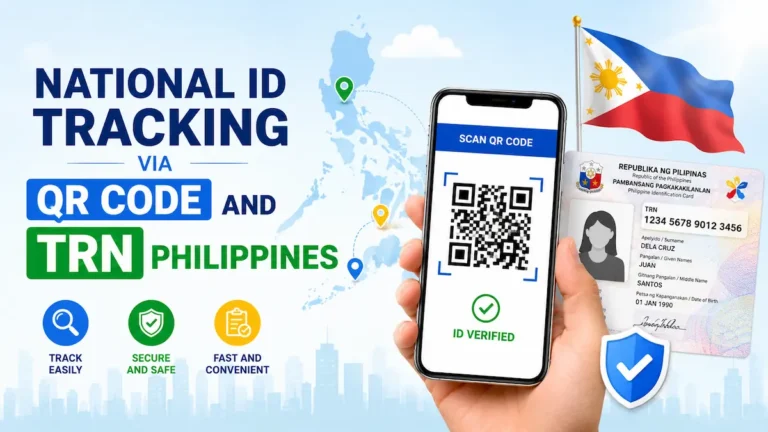
LTO Plate Number Check helps you confirm whether your vehicle’s license plate is available for release or not. The Land Transportation Office (LTO) offers online plate inquiry service for free to everyone. If you’re searching for a reliable way to do an LTO Plate Number Check Online, this guide gives you exactly what you need: clear steps, updated options, and honest answers about what works (and what doesn’t).
Why Check Plate Number Online
The advantage of checking LTO plate number online is that you do not need to travel to the LTO Office. The physical visit to the LTO Office costs your valuable time, money and energy. By using the online inquiry system, you can save all of them yet get your vehicle plate status easily and instantly.
Who Can Check LTO Plate Number Online
A vehicle owner who has applied for New Number Plates or Replacement of Number Plates, can check LTO Plate Number Online using the LTO Plate Tracker Portal.
When you buy a new motorcycle or a new car, you need to apply for its registration, insurance and new number plates. The process takes time, so you need to know if your number plates are ready or not. The LTO Plate Number Check Online Facility helps you track status of your vehicle plates easily.
Requirements for LTO Plate Number Check Online
In order to check your vehicle plate number online, you need to input some specific required information. Here I provide the requirements for LTO plate number inquiry as under:
Motor Vehicle Plate Number
If you want to check your replacement vehicle plate status online then you must provide your vehicle plate number at LTO Tracker Portal.
Conduction Sticker Number
If you have applied for new number plates for your brand new vehicle and want to check its plate status online then you must provide your vehicle’s conduction sticker number.
Motor Vehicle File Number [MV File Number]
In case you are unable to track your vehicle plate status by plate number or conduction sticker number then you can input your motor vehicle file number (15-digit MV File Number).
How to Check LTO Plate Number Online
To perform an LTO Plate Number Check Online in the Philippines, use official LTO portal, SMS verification (if available), or contact your car dealer. You may also check directly with your assigned LTO branch using your plate number or MV file number for accurate status updates.
The LTO Plate Number Check Online Process is very simple, you just need to access LTO Plate Tracker Portal and input your vehicle details to track its plate status instantly. Here I provide the steps for checking plate number online as under:
- Go to LTO Plate Tracker Portal website at www.ltotracker.com.
- Find and select Plate Tracker option.
- Enter your Vehicle Plate Number or Conduction Sticker Number or MV File Number in the given box.
- Tick the box to Accept the Privacy Policy.
- Click on Track and Check Availability to proceed.
- Your vehicle plate status will show up on screen.
LTO Plate Number Check Status
Based on your vehicle plate status, you need to take the next step.
- If your vehicle plates are under process then you need to wait for a few days.
- If your vehicle plates are ready for pick up, you can visit respective LTO Office to collect your number plates.
- If your vehicle plates are ready for delivery, you can set delivery by adding your postal address and paying the delivery fee.
LTO Tracker Not Working
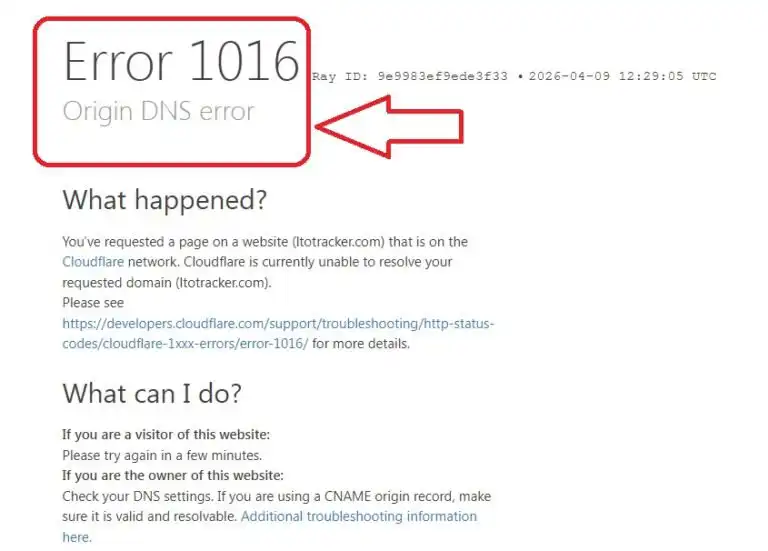
For the last few months, there is a complaint about LTO Tracker Portal not working and it is a fact. In case you face the same issue, you can try out tracking your vehicle plate status through LTO-NCR Portal (www.ltoncr.com). Here are the alternative links for LTO Plate Number Check Online as under.
- New Number Plate Check Online: https://www.ltoncr.com/newplateinquiry
- Replacement Number Plate Check Online: https://www.ltoncr.com/rplateinquiry
- Motorcycle Number Plate Check Online: https://www.ltoncr.com/plateinquiryusingmvfile
LTO Plate Number Check by SMS
The Land Transportation Office provides an alternative method for LTO plate number check online, it is called the SMS method. You just need to send a simple text message from your mobile phone and soon you will get a new message from LTO containing your vehicle plate status information.
- Open Messaging App on your phone.
- Type a New Message as LTO<space>VEHICLE<space>Vehicle Plate Number.
- Send the SMS Text Message to 2600.
- Wait for one minute.
- Open the New SMS Message.
- Read the New Message to know your vehicle plate status.
In this way, you can track your vehicle plate status with LTO plate number check online and SMS methods.
Summary
The LTO Authority provides easy ways for plate number inquiry for motorists/vehicle owners. Above I have shared every important information about LTO plate number check online status at LTO Tracker Portal, LTO-NCR Portal and also by SMS.
In case you still have a query or further questions, you can ask it in the comment section. You should also refer the FAQs and their answers given here to clear your doubts.
FAQs
Where do I check my vehicle plate status online?
You can check your vehicle plate status online at LTO Tracker Portal.
How do I check my number plate status online?
You can check your number plate status online at LTO Tracker Portal by entering your vehicle plate number or conduction sticker number or MV File Number.
What is my MV File Number?
Your MV File Number is your 15-digit unique Motor Vehicle File Number, it is mentioned on your vehicle registration card.
Can I check my number plate by SMS?
Yes, you can check your number plate by SMS, type LTO<space>VEHICLE<space>Vehicle Plate Number and send the message to 2600.
Unable to track my vehicle plate status, what can I do?
If you are unable to track your vehicle plate status, you can contact LTO Helpline Number (02) 8922-9061 or (02) 8926-1063 or visit your nearest LTO Office.